2026 CKA, CKAD 시험 합격 후기Passing the CKA and CKAD in 2026
2026 CKA, CKAD 시험 합격 꿀팁 대방출All my best tips for passing the CKA and CKAD in 2026

왜 자격증을 따려고 했나?
클라우드 관련 공부를 하다 보면 결국 ‘컨테이너’ 기술을 마주하게 된다는 생각에, 이 분야를 본격적으로 공부해보고자 자격증 준비를 시작했습니다.
2024년 12월 사이버 먼데이에 CKA, CKAD, CKS가 포함된 바우처 번들을 구매했고, 바우처 만료일은 2026년 2월 말까지였습니다. 미루고 미루다 결국 마지막에 집중적으로 시험을 준비하게 되었습니다.
kubernetes 시험 소개
- Linux Foundation에서 주관하는 시험
- 각 문제마다 환경과 요구 사항이 제시되고, 클러스터 환경을 구축하는 시험
- 2시간 동안 진행
- 문제는 14 ~ 17문제 사이로 출제
- 66점 이상 합격
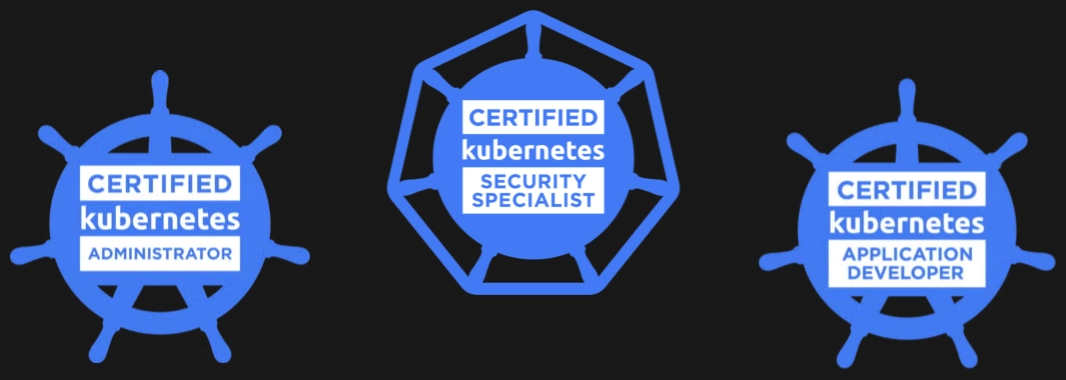
CKA, CKAD, CKS
-
Certified Kubernetes Administrator (CKA)
- 가장 많이 따는 자격증
- kubernetes 관리자 역할
- 2025년 2월 이후에 변경 사항이 많기에 최신 정보를 위주로 찾아보고 준비하자
-
Certified Kubernetes Application Developer (CKAD)
- kubernetes 환경에서 개발자 역할
- CKA와 유사하거나 좀더 쉬운? 난이도
-
Certified Kubernetes Security Specialist (CKS)
- kubernetes 보안 관련
- 가장 고난도 자격증
- CKA가 있어야 응시 가능하다
바우처 구매: 언제 어디서 사야 가장 싸나?
- 매년 12월 초 Cyber Monday가 가장 저렴 (50% ~ 60%)
- 분기별, 특정일 할인도 있음. 단 할인률이 떨어짐 (25% ~ 40%)
- 프로그래머스에서 바우처 구입하는 것도 방법 (환율 방어)
- 구매 이후 12개월 안에 시험을 봐야 한다.
- 공부를 너무 안 해서 도저히 시험을 볼 수 없는 경우, 고객센터에 호소하면 응시 기간을 3개월 늘려준다!

> 12월 초가 가장 싸다
공부한 방법
순서대로 각 과정을 공부하면서 2~3개월 준비했습니다.
- 입문: 스킬잇 - 쿠버네티스 풀코스 15일 완주 세트 (감테크)
- 개념 정리: Udemy - CKA with Practice Tests (Mumshad Mannambeth)
- 실전 문제: 인프런 - CKA - Practical Exam Guide (일프로)
- CKAD 공부
- CKA를 준비하면 충분히 가능하다
- 같은 주제도 많고, 출제 조금 범위가 다를뿐
- Udemy - CKAD with Practice Tests (Mumshad Mannambeth)
- CKA에 없는 파트와 마지막 실전 문제를 학습하자
각 과정 소개 : 장단점
스킬잇 - 쿠버네티스 풀코스 15일 완주 세트 (감테크)
- 장: 실물 교재로 가볍고 쉬운 설명으로 빠르게 입문하기
- 단: 동영상 위주가 아니라 호불호가 있을 수 있음
Udemy - CKA with Practice Tests (Mumshad Mannambeth)
- 장: 시각적인 자료와 웹을 통한 실습 환경
- 단: 영어. 공식 한글자막이 없음
인프런 - CKA - Practical Exam Guide (일프로)
- 장: 실제 문제와 가장 유사
- 단: 개념설명도 있지만, 완전 초보자가 이것만 들어서는 합격하기 어려울 것
시험 등록
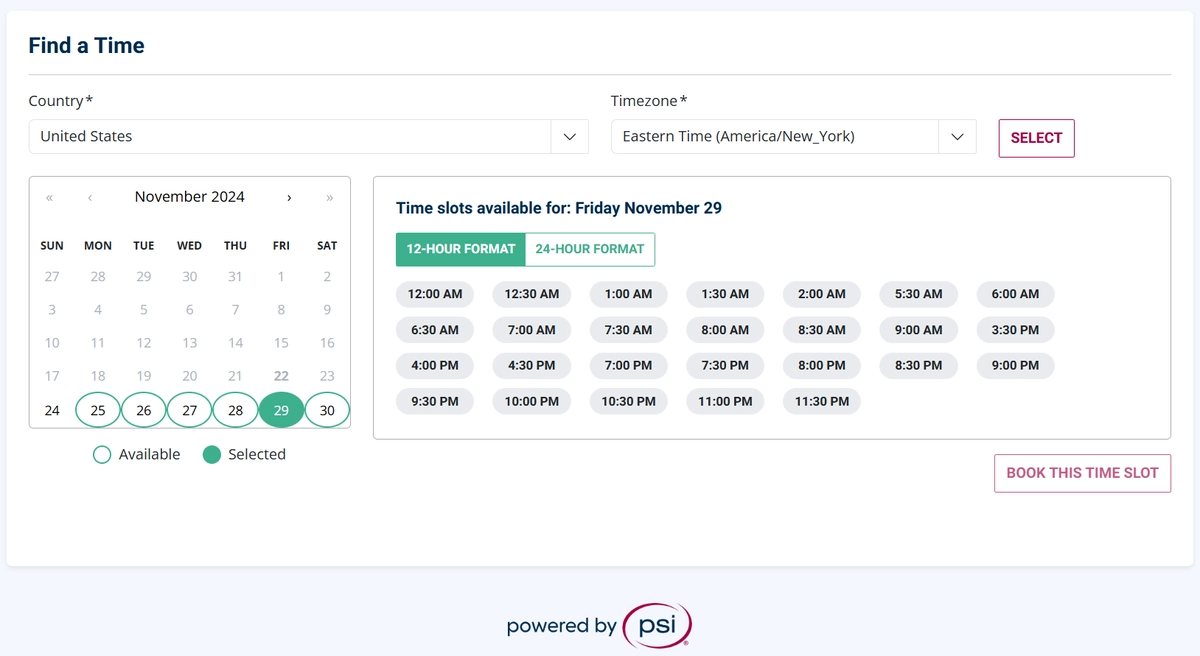
- PSI 사이트에서 원하는 날짜와 시간을 예약한다
- 신분증은 여권으로 등록하는 것을 추천
- 신분증은 미리 등록 해두면 실제 시험날에는 별도로 검사하지 않음
- 시험 시간이 새벽에만 있는 날이 있는데, 가끔씩 해당 날에도 낮 시간이 열리기 때문에 수시로 확인
- 시험은 24시간 전에만 취소하거나 스케줄을 다시 몇번이고 조정 가능
- Scheduling, Rescheduling, Cancelling an Exam 가이드 참고
시험 보는 장소
- 사방이 막혀 있는 공간에서 응시 필수
- 폰 부스와 같은 곳을 추천
- 집인 경우 책장등 복잡한 가구는 미리 가려놓기
- 쓸데없이 꼬투리 잡히지 않게 장소는 최대한 아무것도 없는 심플한 환경을 찾자
- Exam Rules and Policies 가이드 참고
감독관 공간 확인
- 시험 환경을 감독관에게 확인 시키는 절차가 있음
- 시험 시작 30분 전부터 입장 가능
- 핸드폰을 캠으로 사용하거나, 노트북 캠을 사용 (본인은 노트북 들고 여기저기 보여줌)
- 천장부터 바닥을 카메라로 비춰주면서 확인
- 사방을 천천히 돌아가면서 확인
- 책상과 책상 밑 확인
- 양쪽 귀에 이어폰이 없는 것을 확인
- 양쪽 팔목에 시계가 없는 것을 확인
- 안경 확인
PSI 시험 꿀팁
- 화면이 큰게 유리한게 사실이다.
- 그래도 본인은 14인치 노트북으로 시험을 보는데 어려움이 없었다.
- 문제 지문에서 오른쪽 마우스 클릭해서 화면 크기를 조절 가능
- 상단에 메뉴바를 접을 수 있다. 화면 크기가 작으면 접자
- 노트북이면 알맞게 화면 크기를 줄이면 충분히 괜찮았다
- 시험 중에 집중한다고 화면 가까이 붙으면 카메라에서 벗어나 경고 받을 수 있음
- 카메라와 마이크를 켜둬야 하기 때문에 노트북 배터리가 부족한 상황을 대비하자 (전원선 연결)
- 인프런 - 공인 쿠버네티스 자격증 잘 준비하는 법 (조훈)
- ExamUI: Performance Based Exams 가이드 참고
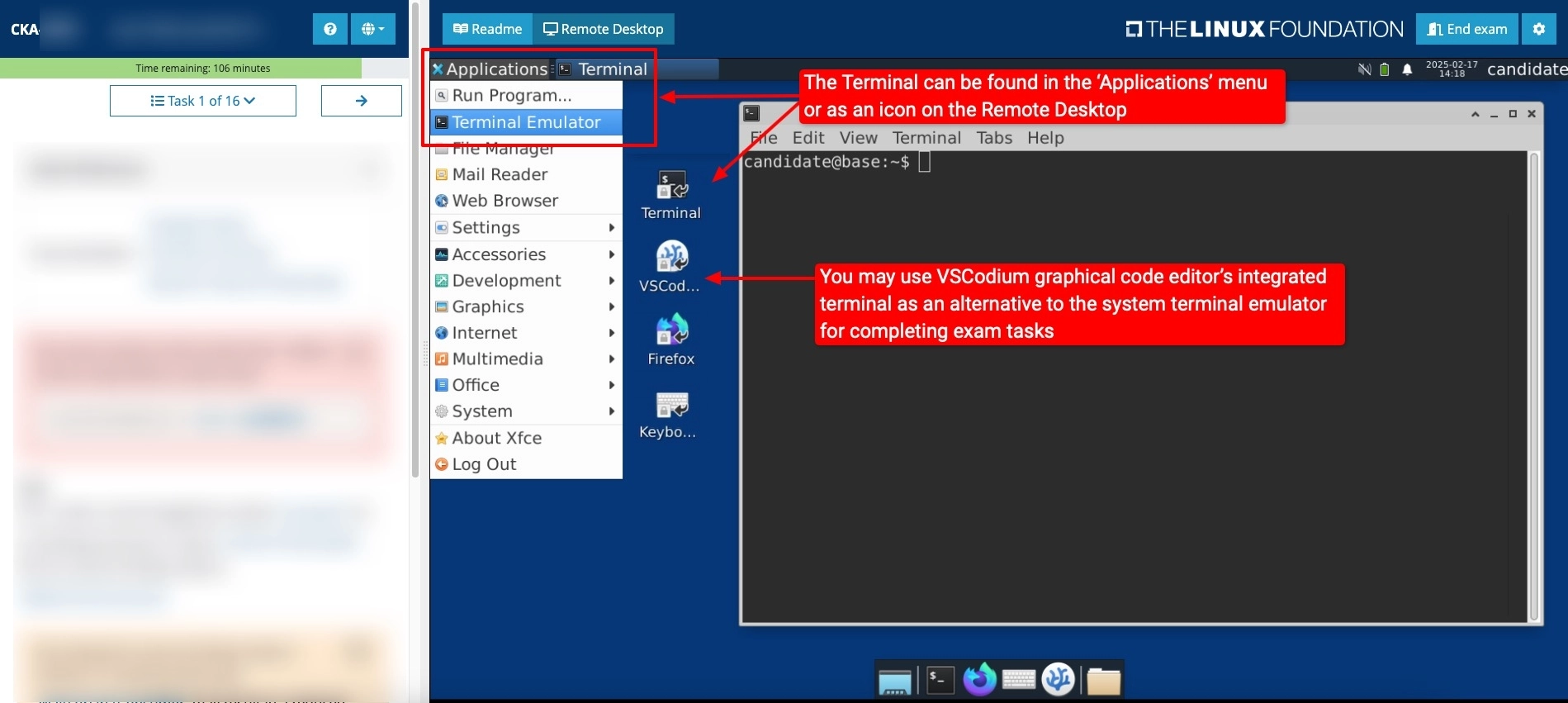
> 시험 환경 UI 크기를 알맞게 조절하자
이 시험은 손으로 푸는 시험이다
- 이 시험은 머리로 푸는 시험이 아니다
- 손으로 푸는 시험이다. 뭔소리냐? 생각할 시간이 없다는 것이다.
- 시험은 한 문제당 6분 정도로 생각하고 풀 수 있어야 한다.
- 아는 것은 반드시 정확하게 풀어야 한다. (확인도 하자)
- 부분 점수가 있기에 모든 문제를 풀어보는 시도를 반드시 해야 한다
명령어, 검색 시간을 줄이자
- 어떻게 푸는지 머리로는 알고 있나?
- 하지만 명령어, 검색에 익숙하지 못하면 모든 문제를 다 풀 수 없다
- 명령어를 최대한 사용한다.
- 명령어로 기본 뼈대 yaml을 만들어서
- 명령어로 입력 불가한 옵션은 홈페이지에서 검색해서 추가해서 완성 하자
- 단시간에 원하는 리소스를 생성, 수정 등 할 수 있게 연습해야 한다
- 명령어로 만들 수 없는 리소스인 경우
- 어떤 리소스 / 옵션이 명령어로 만들 수 없는지 기억해두자
- 홈페이지 어디에 어떤 곳을 봐야 하는지 연습해야 한다.
- 예시) Gateway tls 설정 - tls config로 검색
- 기억하자. 반드시 직접 손으로 푸는 연습을 해야 시험에 합격할 수 있다.
시험 환경 유의 사항
- 당황하지 마라.
- 생각보다 시험 환경은 스크롤, 타이핑 모든 게 느리다. 기다리면서 천천히 하자
- VSCodium (일종의 메모장) 반드시 활용하기
- 문제 단어가 복사가 안되는 경우가 있음
- WIN11 + 크롬 기준으로 복사해서 바로 쉘에 붙여 넣기가 안 먹혔음;
- 복사한걸 VSCodium 붙여서 다시 복사해서 쉘에 넣는건 가능
- 복붙 단축키:
ctrl+c,v가 안되는 경우 -ctrl+insert/shift+insert
- VSCodium에서 쓰고, 수정하고 다시 쉘에 붙여넣자
이제는 ssh로 각 환경에 접속해서 문제를 푼다
- 과거 시험은
use-context방식이 였지만, 지금은 아니다 - 각 문제마다 독립적인 환경이 만들어져 있다.
- ssh로 접속하고 exit로 빠져나와서 다음 문제도 ssh로 접속하면서 풀어나가자
- 꼭 제대로 접속했는지 다시 확인하고 이상하면 빠져나와서 다시 접속하자
시험 문제 난이도
- 시험 등록하면 killer.sh 2번까지 실습이 활성화 된다
- 난이도는 생각하지 말자. 실습 환경만 경험하고 익숙해지자. (거의 똑같다)
- killer.sh 난이도가
100이라면- 유데미 난이도는
20(이 정도 난이도가 절대 아니다) - 실제 시험은
40 ~ 50정도
- 유데미 난이도는
- 과거 시험과 출제 유형은 큰 차이가 없음
- 하지만 과거(2025년 2월 이전) 문제와 현재 문제가 좀더 어려워졌다고 함
- 과거: 단순한 요구사항이 많고, 지문이 간단
- 현재: 지문의 길이 길고, 요구사항이 여러개
시험 문제 유형
CKA
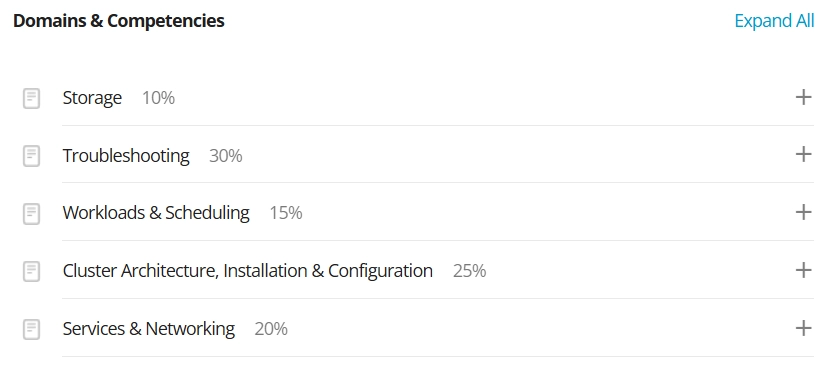
- proityclass 만들어서 pod에 연결하기
- 패키지 설치 dpkg -i + systemctl
- helm 사용법: argocd 설치
- 존재하는 deployment에 알맞은 hpa 생성하기
- 트러블 슈팅: etcd 마이그레이션
- serivce NodePort 생성하기
- 요구 사항에 알맞은 CNI 설치
- sidecar 패턴 + volume 연결하기
- 요구 사항에 알맞은 networkpolicy 배포 하기
- storageclass 생성
- pod 중 특정 pod 리스트만 파일에 저장하기
- explain 명령어로 특정 속성값 정보 파일에 저장하기
- pv / pvc 생성
- ingress → gateway / HTTPRoute (tls) 로 마이그레이션 하기
CKAD
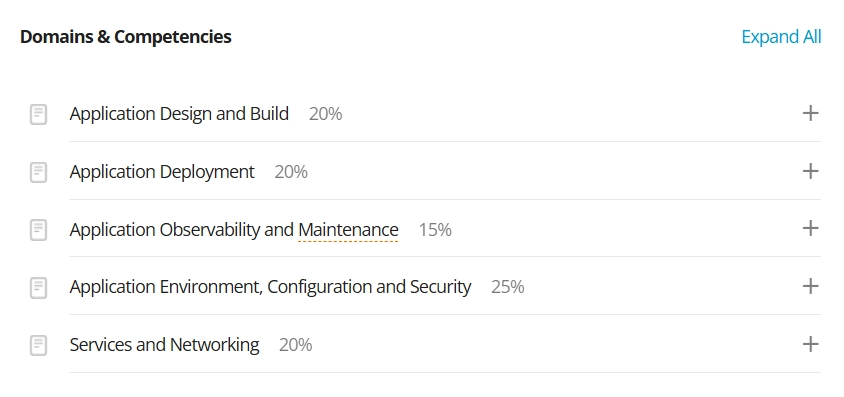
- log 보고 필요한 ServiceAccount 세팅
- securityContext - runAsUser + capabilities add
- livenessProbe 수정하기 - httpGet + 포트 + Path 설정
- secret 생성 후, SecretKeyRef로 pod에 연결 하기
- deploy 버전 업 & 롤백 rollout undo
- NodePort 서비스 만들기
- docker 이미지 빌드(태그 붙여서) + 압축 docker save
- 구버전 yaml 파일 수정하기
- netpol 보고 라벨 붙여서 다른 pod 트래픽 갈 수 있게 수정하기
- ingress + service yaml 파일 보고 트래픽 갈 수 있게 수정 하기
- Deployment (limits / requests 추가) + 노드 최대값 확인하고 세팅
- cronjob 30분 마다 돌게 + 다른 옵션 deadline 등등 설정
- 카나리 배포 → 기존 deployment replicas 늘리고 새로운 deployment 추가하기
- image / 컨테이너 이름 변경하고 rolling update
시험 결과
- 시험 시작으로 부터 거의 정확하게 24시간 이후에 메일로 결과가 나온다
- 떨어진 경우 한번 재시험을 볼 수 있다
- 재시험은 바우처 만료 날짜를 넘어가도 상관없다
- 최대한 뒤로 밀어서 재시험 날짜까지 계산해서 공부하는 것도 방법
후기
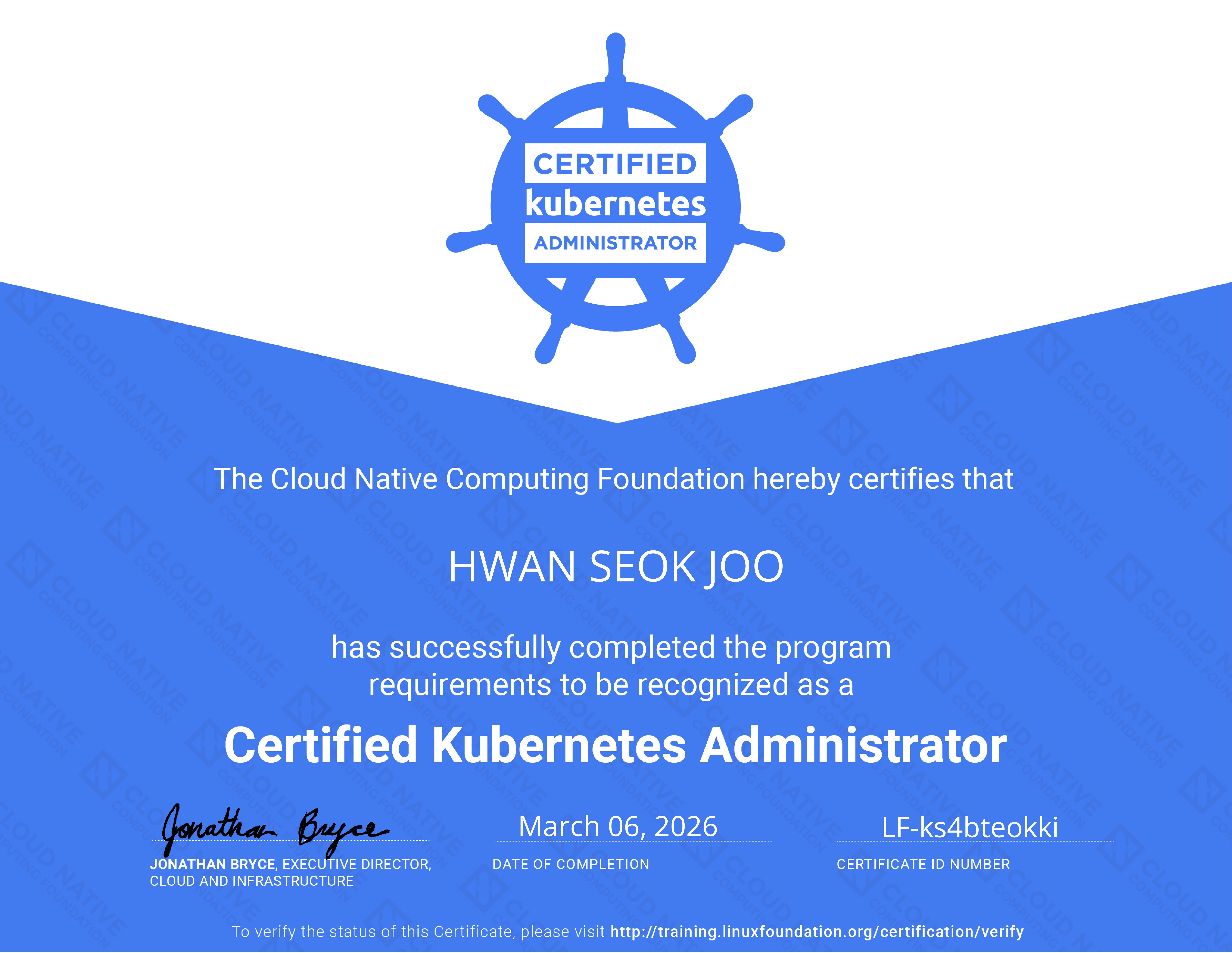
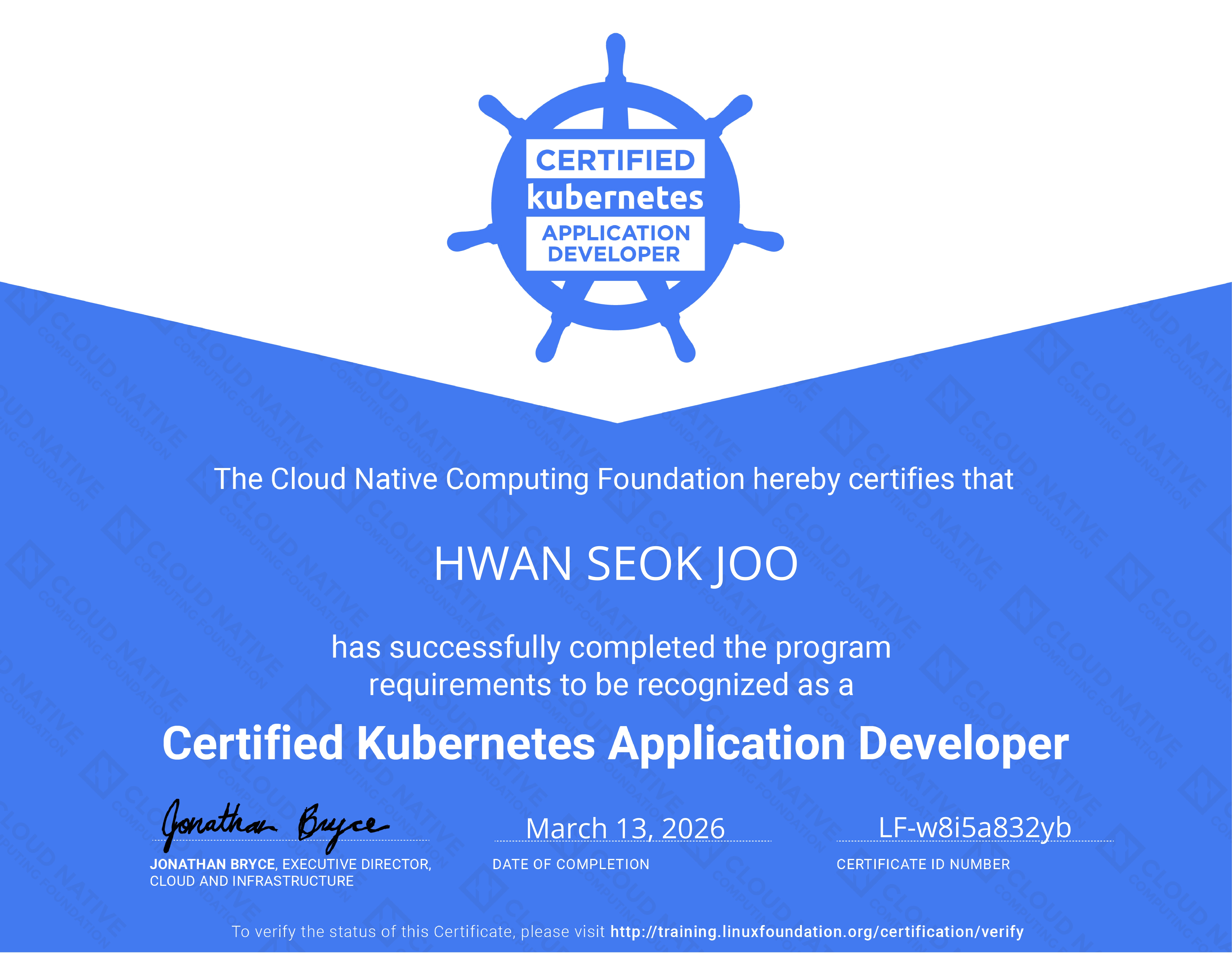
- 확실히 공부하는데 좋은 방법이다
- 자격증 너무 비싸다
- CKA만 취득해도 충분할것 같다
- 인프라 관련 직무를 생각한다면 CKA, CKAD, CKS 까지 해보는 것도 좋을 듯
앞으로
앞으로 2026년에는 kubestronaut 타이틀에도 도전할 예정입니다. CKA 시험은 바우처 만료 이후에 합격하여 CKS 시험에는 응시하지 못한 점이 아쉬웠습니다.
자격증은 좋은 학습 동기이지만, 자격증 자체가 최종 목표가 되지 않도록 새로운 마음으로 하려 합니다. 여러 가지 좋은 책과 스터디를 중심으로 다시 한 번 깊이 있게 공부하려 합니다.
또 다음 자격증 취득하면 후기 쓰겠습니다. 감사합니다! 😊
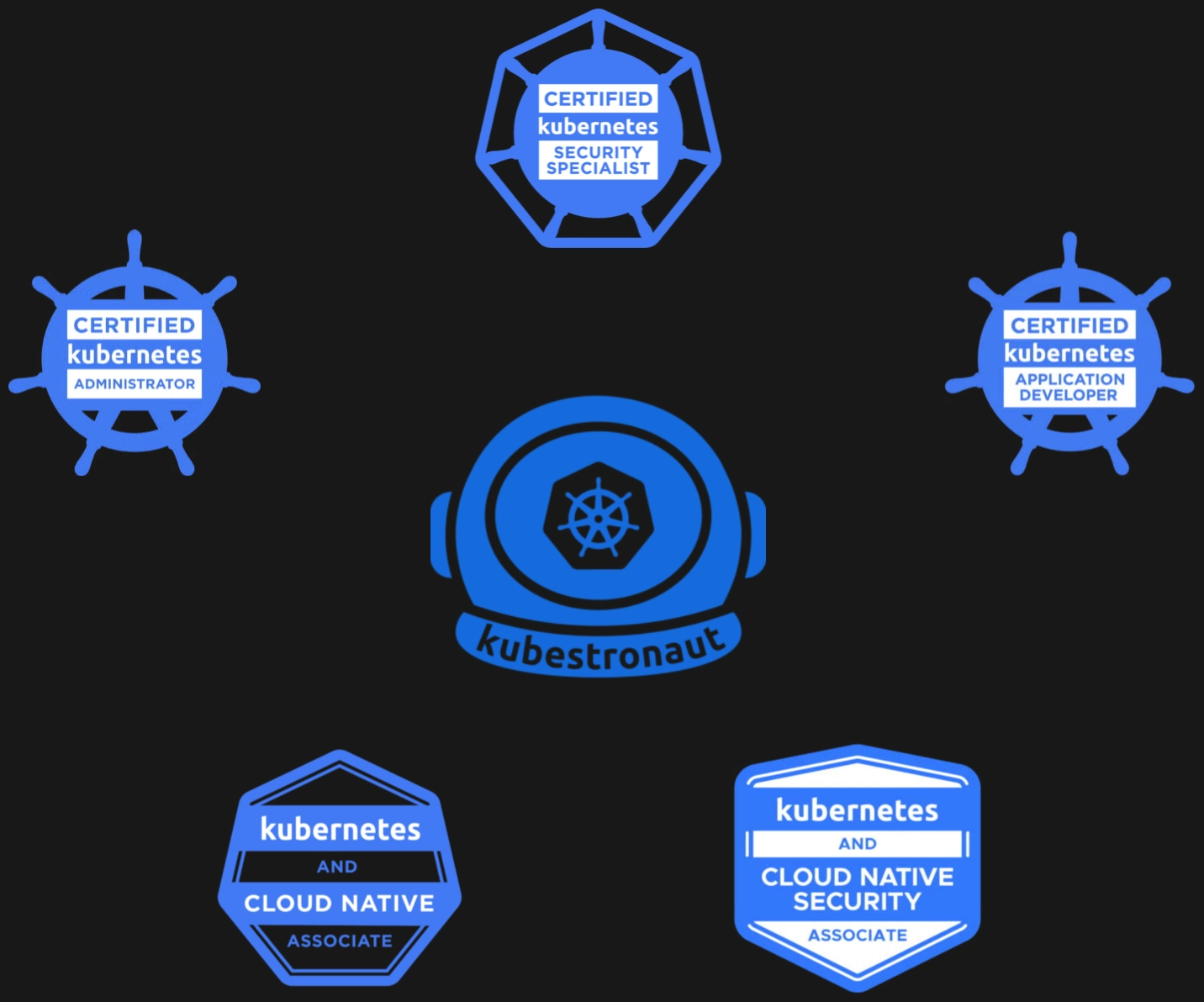
> 2026 kubestronaut 도전!
참고 문헌
Why Did I Go for the Certifications?
The more I studied the cloud, the more I felt I’d inevitably run into “container” technology, so I started preparing for the certifications to study the field properly.
I bought a voucher bundle with the CKA, CKAD and CKS during the December 2024 Cyber Monday sale, and the vouchers expired at the end of February 2026. I put it off and put it off, and ended up cramming for the exams at the very end.
About the Kubernetes Exams
- Run by the Linux Foundation
- Each task gives you an environment and requirements, and you build things in a live cluster
- Lasts 2 hours
- Between 14 and 17 tasks
- A score of 66 or higher passes
CKA, CKAD, CKS
-
Certified Kubernetes Administrator (CKA)
- The most commonly earned certification
- The Kubernetes administrator role
- A lot changed after February 2025, so look for up-to-date information when preparing
-
Certified Kubernetes Application Developer (CKAD)
- The developer role in a Kubernetes environment
- Similar to the CKA in difficulty, or maybe a bit easier?
-
Certified Kubernetes Security Specialist (CKS)
- Kubernetes security
- The hardest of the three
- You need the CKA before you can take it
Buying a Voucher: When and Where Is It Cheapest?
- Cyber Monday in early December every year is the cheapest (50% ~ 60% off)
- There are also quarterly and special-day discounts, but the discount is smaller (25% ~ 40%)
- Buying the voucher through Programmers is another option (protects you from exchange-rate swings, for buyers in Korea)
- You have to take the exam within 12 months of purchase.
- If you really haven’t studied enough to sit the exam, plead with customer support and they’ll extend your window by 3 months!
> Early December is the cheapest
How I Studied
I prepared for 2~3 months, going through each course in order.
- Intro: Skilleat - Kubernetes Full Course: 15-Day Complete Set (Gamtech)
- Concepts: Udemy - CKA with Practice Tests (Mumshad Mannambeth)
- Exam-style tasks: Inflearn - CKA - Practical Exam Guide (Ilpro)
- CKAD study
- Once you’ve prepared for the CKA, it’s very doable
- Many of the topics are the same; the scope is just slightly different
- Udemy - CKAD with Practice Tests (Mumshad Mannambeth)
- Study the parts not in the CKA, plus the final practice tests
The Courses: Pros and Cons
Skilleat - Kubernetes Full Course: 15-Day Complete Set (Gamtech)
- Pro: a physical textbook with light, easy explanations to get you started fast
- Con: it isn’t video-centric, so it may not suit everyone
Udemy - CKA with Practice Tests (Mumshad Mannambeth)
- Pro: visual materials and a web-based lab environment
- Con: English only. No official Korean subtitles
Inflearn - CKA - Practical Exam Guide (Ilpro)
- Pro: the closest to the real exam tasks
- Con: it does explain concepts, but a complete beginner would struggle to pass with this course alone
Registering for the Exam
- Book the date and time you want on the PSI site
- I recommend registering your passport as your ID
- If you register your ID ahead of time, it isn’t checked separately on exam day
- Some days only have early-morning slots, but daytime slots sometimes open up on those days, so check often
- You can cancel or reschedule the exam as many times as you like, as long as it’s more than 24 hours in advance
- See the Scheduling, Rescheduling, Cancelling an Exam guide
Where to Take the Exam
- You must take it in a space enclosed on all sides
- I recommend something like a phone booth
- At home, cover up busy furniture like bookshelves in advance
- Find the simplest, emptiest space possible so the proctor has nothing to nitpick
- See the Exam Rules and Policies guide
The Proctor’s Room Check
- There’s a step where you show the proctor your exam environment
- You can check in from 30 minutes before the exam starts
- Use your phone as a webcam, or your laptop’s camera (I carried my laptop around and showed them everything)
- Pan the camera from ceiling to floor
- Turn slowly to show all four sides
- Show the desk and under the desk
- Show that there are no earphones in either ear
- Show that there’s no watch on either wrist
- Glasses check
PSI Exam Tips
- A bigger screen really does help.
- That said, I had no trouble taking the exam on a 14-inch laptop.
- You can adjust the text size by right-clicking in the task description
- You can collapse the menu bar at the top. If your screen is small, collapse it
- On a laptop, shrinking the screen scale appropriately was perfectly fine
- If you lean in close to the screen while concentrating, you can drift out of the camera frame and get a warning
- Your camera and microphone must stay on, so be ready for a low laptop battery (keep it plugged in)
- Inflearn - How to Prepare Well for the Kubernetes Certifications (Hoon Jo)
- See the ExamUI: Performance Based Exams guide
> Adjust the exam UI size to fit your screen
This Is an Exam You Solve with Your Hands
- This isn’t an exam you solve in your head
- It’s an exam you solve with your hands. What do I mean? There’s no time to think.
- You need to be able to solve each task in about 6 minutes.
- Anything you know, you must get exactly right. (And verify it)
- There’s partial credit, so be sure to attempt every task
Cut Down Your Command and Search Time
- Do you know in your head how to solve it?
- But if you aren’t fluent with commands and searching the docs, you won’t finish every task
- Use commands as much as possible.
- Generate a skeleton yaml with a command,
- then look up the options you can’t set by command on the website and add them to finish
- Practice until you can create and modify the resources you want in a short time
- For resources you can’t create with a command
- Remember which resources / options can’t be created by command
- Practice knowing exactly where to look on the website.
- Example) Gateway tls settings - search for tls config
- Remember: you’ll only pass if you practice solving tasks with your own hands.
Things to Watch Out for in the Exam Environment
- Don’t panic.
- The exam environment is slower than you’d think at everything — scrolling, typing. Be patient and take it slow
- Make sure to use VSCodium (a kind of notepad)
- Sometimes text in the task can’t be copied
- On WIN11 + Chrome, copying and pasting straight into the shell didn’t work for me;
- Pasting it into VSCodium and copying it again from there into the shell did work
- Copy/paste shortcuts: if
ctrl+c,vdoesn’t work -ctrl+insert/shift+insert
- Write and edit in VSCodium, then paste into the shell
You Now SSH into Each Environment to Solve Tasks
- The exam used to use
use-context, but not anymore - Each task has its own separate environment.
- SSH in, exit when you’re done, and SSH into the next one as you go
- Always double-check you’re connected to the right host; if anything looks off, exit and reconnect
Exam Difficulty
- Registering for the exam unlocks up to 2 practice sessions on killer.sh
- Don’t worry about its difficulty. Just use it to experience and get used to the environment. (It’s almost identical)
- If killer.sh is a difficulty of
100- Udemy is about
20(the real exam is definitely not that easy) - The real exam is around
40 ~ 50
- Udemy is about
- The task types haven’t changed much from past exams
- But people say the current tasks are harder than the old ones (before February 2025)
- Before: many simple requirements, short task descriptions
- Now: longer task descriptions with multiple requirements
Exam Task Types
CKA
- Create a priorityclass and attach it to a pod
- Install a package with dpkg -i + systemctl
- Using helm: install argocd
- Create an appropriate hpa for an existing deployment
- Troubleshooting: etcd migration
- Create a NodePort service
- Install a CNI that fits the requirements
- Sidecar pattern + attach a volume
- Deploy a networkpolicy that fits the requirements
- Create a storageclass
- Save a list of only certain pods to a file
- Save information about a specific field to a file using the explain command
- Create a pv / pvc
- Migrate an ingress → gateway / HTTPRoute (tls)
CKAD
- Read the logs and set up the required ServiceAccount
- securityContext - runAsUser + capabilities add
- Fix a livenessProbe - httpGet + port + path settings
- Create a secret, then attach it to a pod with SecretKeyRef
- Upgrade a deployment & roll back with rollout undo
- Create a NodePort service
- Build a docker image (with a tag) + archive it with docker save
- Fix an old-version yaml file
- Read a netpol and add labels so traffic can reach another pod
- Read ingress + service yaml files and fix them so traffic flows
- Deployment (add limits / requests) + check the node’s maximums and set them
- Make a cronjob run every 30 minutes + set other options like deadline, etc.
- Canary deployment → scale up the existing deployment’s replicas and add a new deployment
- Change the image / container name and do a rolling update
Exam Results
- Results arrive by email almost exactly 24 hours after the exam starts
- If you fail, you get one retake
- The retake can be after the voucher’s expiry date
- One strategy is to push it back as far as possible and plan your study around the retake date too
Thoughts
- It’s definitely a great way to study
- The certifications are way too expensive
- The CKA alone is probably enough
- If you’re considering an infrastructure role, going all the way through CKA, CKAD and CKS could be worth it
What’s Next
In 2026, I plan to go for the kubestronaut title too. It’s a shame I passed the CKA after my vouchers expired, so I couldn’t take the CKS.
Certifications are great motivation for learning, but I want to approach this with a fresh mindset so the certificate itself doesn’t become the end goal. I’m going to study in depth once more, centered on good books and study groups.
I’ll write another review when I earn my next certification. Thank you! 😊
> Going for kubestronaut in 2026!
References
- Skilleat - Kubernetes Full Course 15-Day Completion Set (Gamtech) (Korean)
- Udemy - CKA with Practice Tests (Mumshad Mannambeth)
- Inflearn - CKA - Practical Exam Guide (Ilpro) (Korean)
- Ttabae-Learn - [CKA Past Exam Key Summary] CKA Past Exam Solutions_FULL Version (Korean)
- Easy CKA Exam Tasks For Beginners! | Full Solutions & Walkthrough